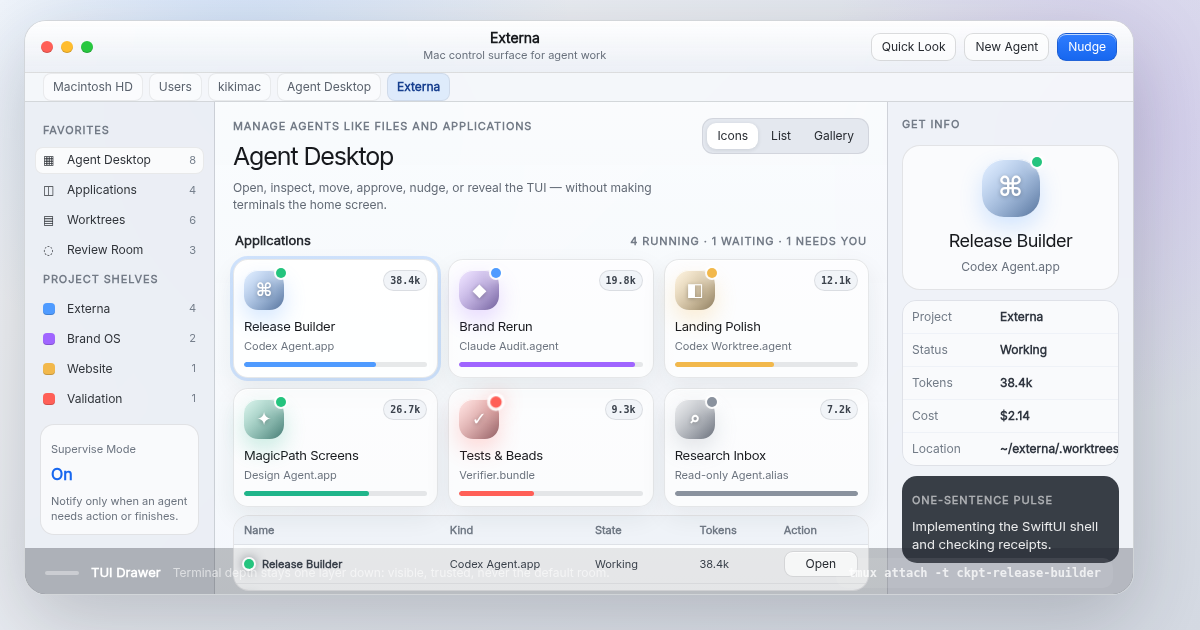
Desktop Home
Agents feel like Mac work objects
Open, inspect, move, approve, nudge, or reveal the TUI from a native Finder-like surface.
Native Mac agent desktop
A calm macOS layer over terminal agents. Projects open like Finder windows, usage has a shape, and the raw TUI stays one drawer away.
Direct answer
It keeps terminal authority intact while making agent runs legible as openable project windows, living app icons, usage rings, inspectors, and review rooms.
Native blueprint
The SwiftUI shape is NavigationSplitView, a unified toolbar, a resizable inspector, and a terminal drawer. Color supports state; system materials carry the chrome.
Waiting on review receipts
codex review --project Externa
V1 screen system
Finder Command remains the structural baseline. The visual direction shifts lighter: system window surfaces first, telemetry second, terminal darkness only inside the drawer.
Desktop Home
Open, inspect, move, approve, nudge, or reveal the TUI from a native Finder-like surface.
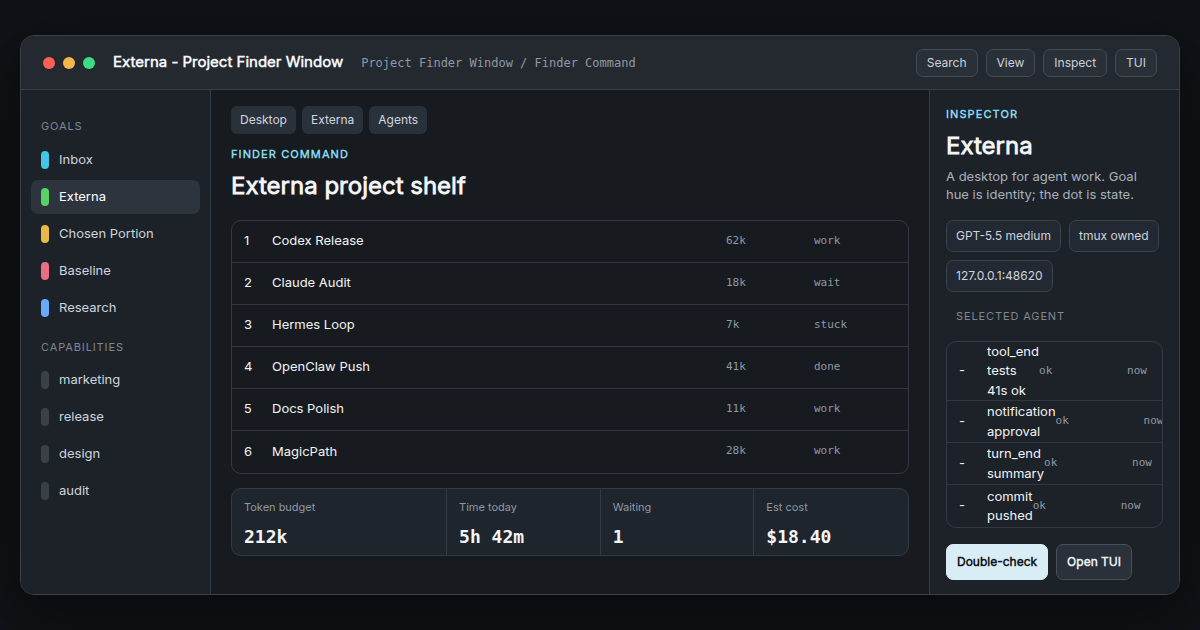
Project Finder Window
Main threads, nested sub-agents, worktrees, and receipts live in a familiar split-view structure.
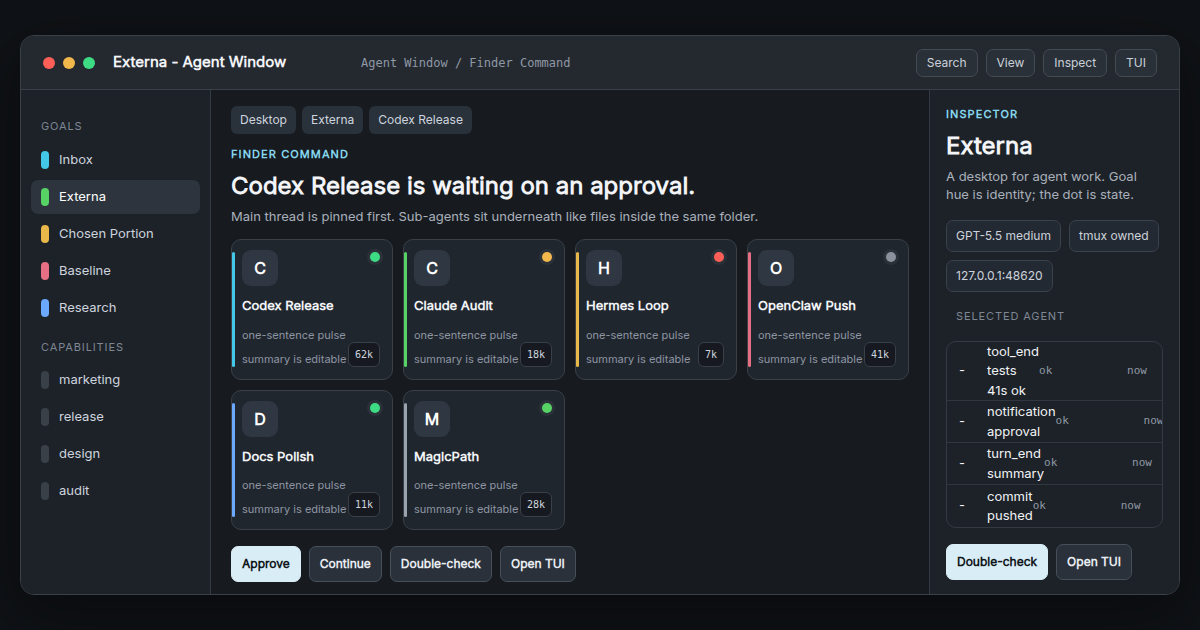
Agent Window
Each agent has state, goal, cost, progress, and a durable trail that can be reviewed without replaying the full TUI.
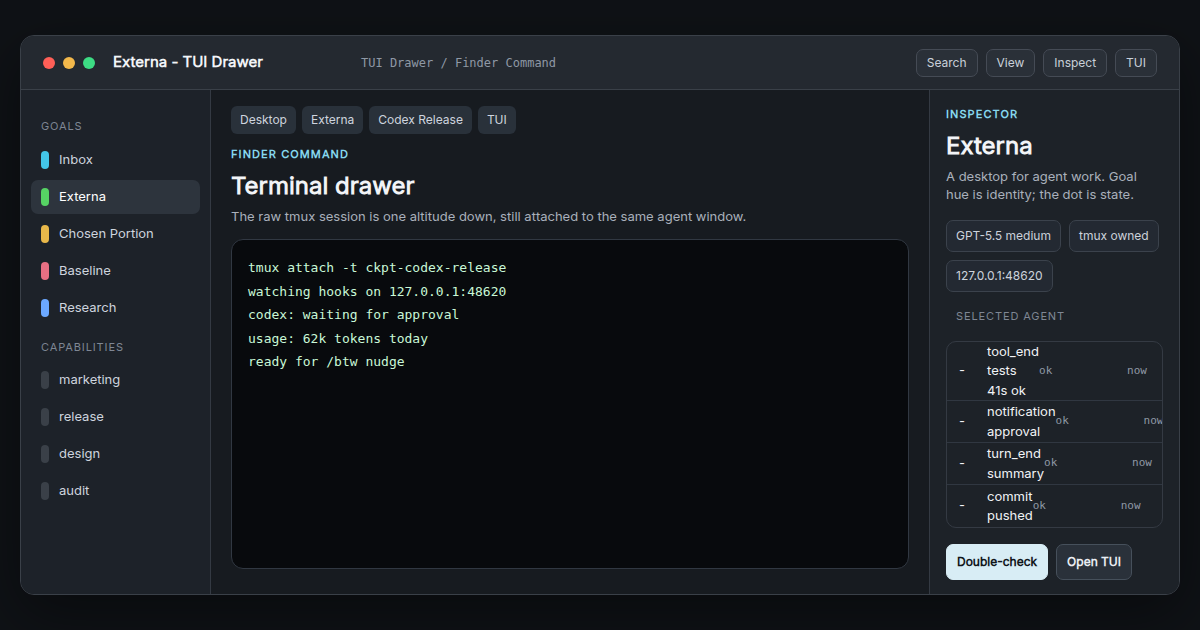
TUI Drawer
Raw terminal access appears as a lower-altitude drawer, preserving trust without making the terminal the whole product.
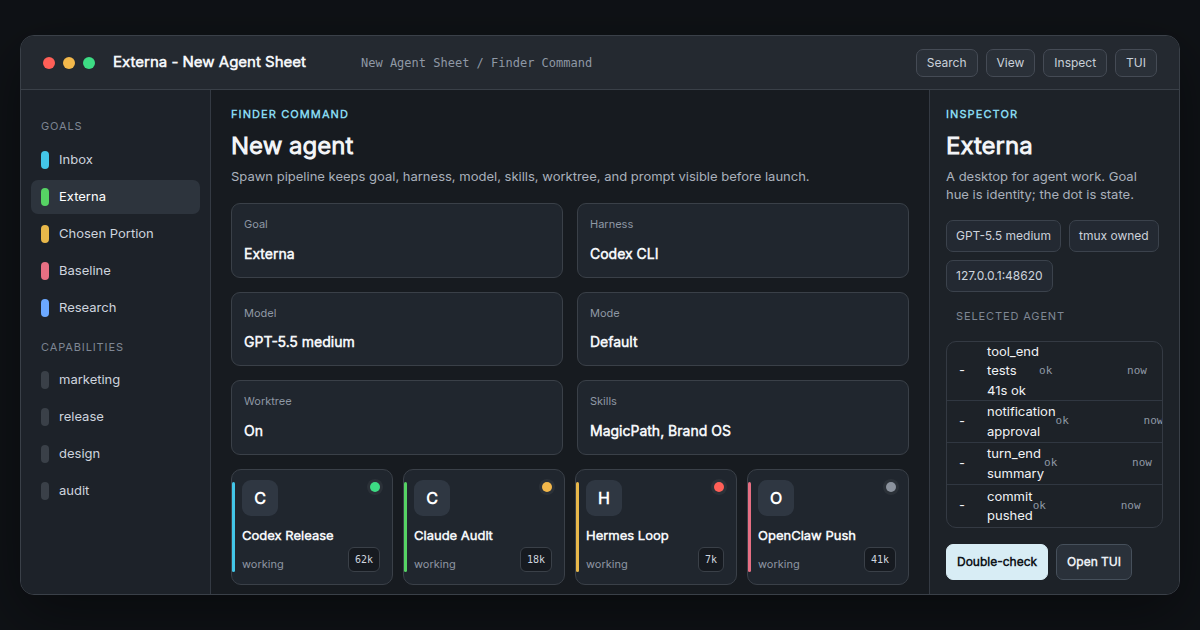
New Agent Sheet
New runs start with project mapping, model choice, token guardrails, and a falsifiable goal.
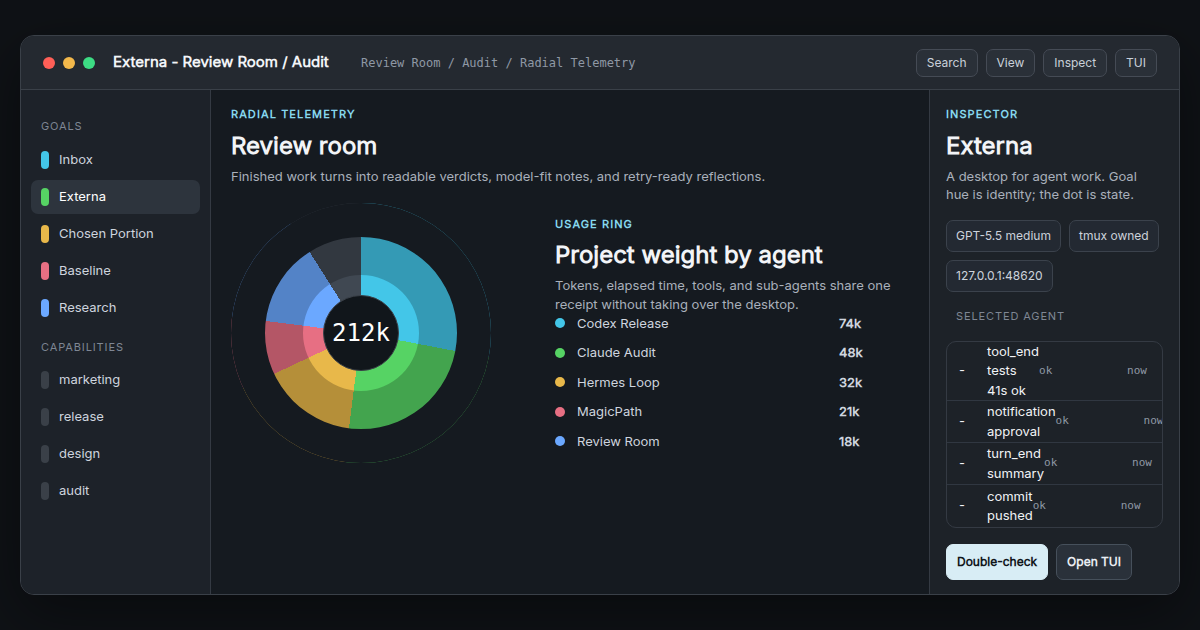
Review Room
Tests, branch state, token use, and reviewer notes converge into a Mac-native approval surface.
Mac-native fit
Externa should use SwiftUI split views, inspectors, system materials, unified toolbars, sheets, menu bar presence, and native notifications before custom chrome. The interface should feel closer to Finder plus Raycast than to an analytics dashboard.
Delight map
An agent icon resolves into a brief check pulse when a run finishes, with Continue, Double-check, and Push actions close by.
Opening a project draws token/time segments into view, making budget pressure visible without a spreadsheet.
The raw TUI slides in as a lower layer with breadcrumbs intact, so visual supervision never becomes a cage.
Current status
The identity, visual language, MagicPath screen canvases, delight map, and Mac-native assessment are assembled. The next product move is choosing the default screen direction for a SwiftUI scaffold.
Review screens